A sticky note is powerful because it is simple. You write something down, move it, assign it, and eventually mark it as done. For a huge amount of work, that is exactly what people need.
A task like “Review homepage copy,” “Call supplier,” or “Fix checkout bug” can often stand on its own. The person reading it already understands what it refers to, where the related information lives, and what needs to happen next.
But not every task is that self-contained. Sometimes the work depends heavily on something outside the task itself. It might depend on a specific customer, machine, room, vehicle, product, location, piece of equipment, or physical object.
That is where generic task management begins to get more complicated.
Tasks Rarely Live Completely Alone
Consider a task that says “Replace filter.” On its own, that instruction is easy to understand, but it immediately raises questions. Which machine needs the filter? Where is that machine located? What kind of filter does it use? When was it replaced last time? Is there a photo or service record that someone should review first?
The same thing happens in many other kinds of work. “Update product photo” requires knowing which product and which version. “Check damaged item” requires knowing where the item is, what happened to it, and whether someone already documented the damage. “Review customer feedback” becomes more useful when it is connected to the actual customer, conversation, product, or order involved.
The task itself has not necessarily become more complicated. Its context has.
We Start Building Context Around the Task
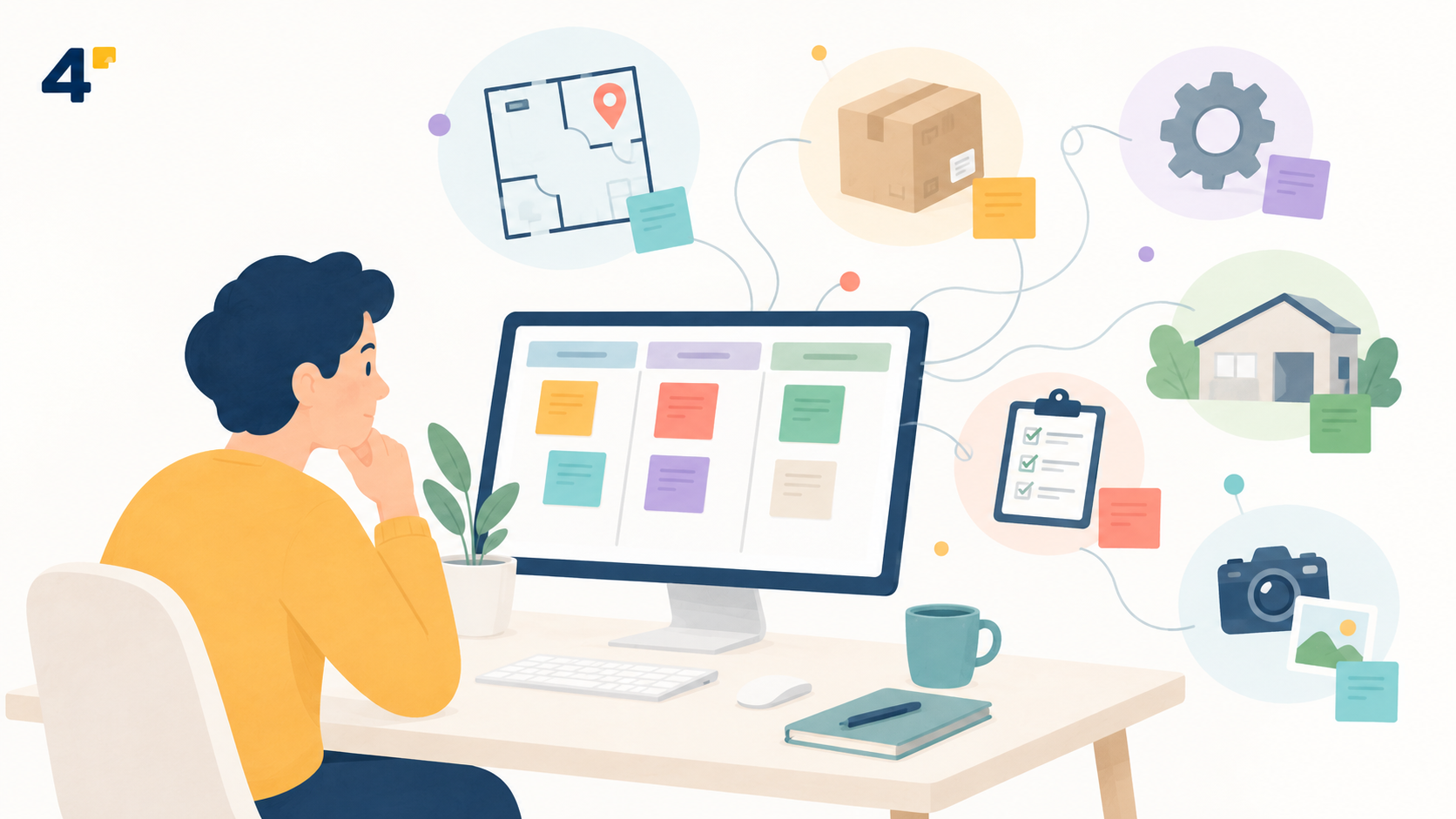
Generic task tools handle this by giving us ways to add information around the card or sticky. We attach screenshots, add links, create labels, use custom fields, paste documents, mention other tasks, and leave comments explaining what someone needs to know.
This flexibility is one of the biggest strengths of general-purpose tools. A team can create a workflow without waiting for a specialized system to exist.
The problem appears when the supporting structure starts becoming larger than the task itself. A simple card may eventually contain several fields, multiple attachments, a naming convention, a link to another system, and a long description just to explain what the work is actually about.
At that point, the team is no longer simply managing tasks. It is also trying to model the world around those tasks.
Digital Context Is Usually Easier
Digital work has an advantage: most of the things we work on already have digital identities.
A design task can point directly to a Figma file. A development task can reference a GitHub issue. A writing task can link to a document. A sales task can point to a CRM record. The task does not need to recreate all of that information because the object already exists somewhere else and usually has a URL.
Physical work is different.
A room does not naturally have a link. Neither does a machine, a shelf inside a store, a vehicle component, a damaged appliance, or a specific part of a building. If the software does not already understand those objects, the team has to invent a digital representation for them.
That is why workflows involving the physical world often begin accumulating labels and conventions such as Machine-04, Truck-12, Unit-204, or Store-North-Aisle-3.
To the people doing the work, those names represent real things with history, location, photos, documents, specifications, and related tasks. To a generic task manager, they may simply be pieces of text.
That difference becomes increasingly important as the workflow grows.
Sometimes the Object Matters More Than the Task
Most task management systems are naturally task-first. You create the task and then attach the relevant information to it.
But some kinds of work make more sense when the relationship is reversed. Instead of starting with the task, you start with the thing being worked on and then see everything connected to it.
Imagine opening a machine record and seeing its maintenance history, current problems, technical documents, photos, previous repairs, and upcoming inspections. Or opening a retail location and seeing every active task, issue, document, and conversation associated with that location.
The tasks still matter. They simply stop being the only organizing principle.
This is an important distinction because context becomes reusable. If five different tasks relate to the same machine, each task no longer needs to explain what that machine is. The system already knows.
Why Vertical Software Keeps Appearing
This is one reason specialized or vertical software keeps emerging even when flexible general-purpose tools already exist.
A generic task manager has to work for thousands of different kinds of businesses. It cannot deeply understand factories, restaurants, construction sites, medical offices, warehouses, film productions, field service teams, vehicle fleets, and every other possible workflow at the same time.
Vertical software can make different assumptions. It can decide that certain objects are important enough to become part of the product itself.
Fleet software can understand vehicles. Property management software can understand units and properties. Manufacturing platforms can understand machines, parts, and production runs. In the window and door industry, for example, WindSketch can organize project information around properties and the physical components teams are measuring, estimating, documenting, and installing.
The important difference is not simply that specialized software has more features. It is that the software has some understanding of the world in which the task exists.
Custom Fields Can Take You a Long Way
None of this means that every workflow involving physical context requires specialized software.
Custom fields, tags, attachments, links, templates, and naming conventions can support surprisingly complex systems. In many cases, that flexibility is exactly what a team needs, especially while a process is still changing.
The more interesting question is what happens when the same context has to be rebuilt over and over again.
If every task requires the same five custom fields to explain what it belongs to, those fields may represent something important enough to exist independently. If every project depends on the same naming convention, that convention may actually be describing an important part of the business model. If every card sends users to another system just to understand the object behind the task, the task manager may no longer be the true source of context.
Teams often reveal the structure of their work through the workarounds they repeat.
Good Context Makes Tasks Simpler
The goal of adding context should not be to make every task larger. Ideally, good context does the opposite.
If the system already knows which machine a task belongs to, the task does not need to repeat the machine name, location, specifications, service history, and supporting documents every time. Those things already exist around it.
A task that once had to say “Inspect Machine-04 in Building B and upload photos of the damaged motor” might eventually become simply “Inspect damaged motor.”
The task can become smaller because the surrounding system has become smarter.
That is one of the most useful ways to think about context: it should reduce repetition rather than create more information for people to manage.
Simple Tools Still Matter
There is a reason sticky notes, kanban boards, and lightweight task managers remain so useful. They make it easy to capture work without designing an entire information system first.
You can create a card in seconds, move it across a board, add a teammate, and continue working. That simplicity is valuable, and many workflows never need anything more sophisticated.
But simple tools also reveal their limits in interesting ways. When teams repeatedly create the same labels, fields, folders, references, and conventions around their tasks, they are showing what their work actually depends on.
Sometimes that underlying object is a customer. Sometimes it is a document, product, machine, property, vehicle, or location.
The task is only one part of that structure.
The Task Is Only Part of the Story
A task answers a straightforward question: What needs to happen?
Context answers a different one: What is this work actually about?
For many workflows, a sticky note and a few words provide all the context anyone needs. For others, the sticky is only the visible part of a much larger network of information.
Recognizing that difference can help teams choose better tools without unnecessarily complicating simple work.
The goal is not to make every task more sophisticated. It is to give every task enough context to make sense.